 amogh.cloud
Lights Out
An unofficial F1 app for LG TVs, built for the remote
An unofficial F1 TV app for LG smart TVs: easy navigation with the remote, a camera switcher, and a live timing panel that stays in sync with the video.
In short
Problem. I found no official F1 TV app listed for LG’s webOS TVs when I checked on 10 Oct 2026. To watch the camera feeds on a big screen with a timing overlay, I had to use a laptop. I wanted it on the sofa, with a remote.
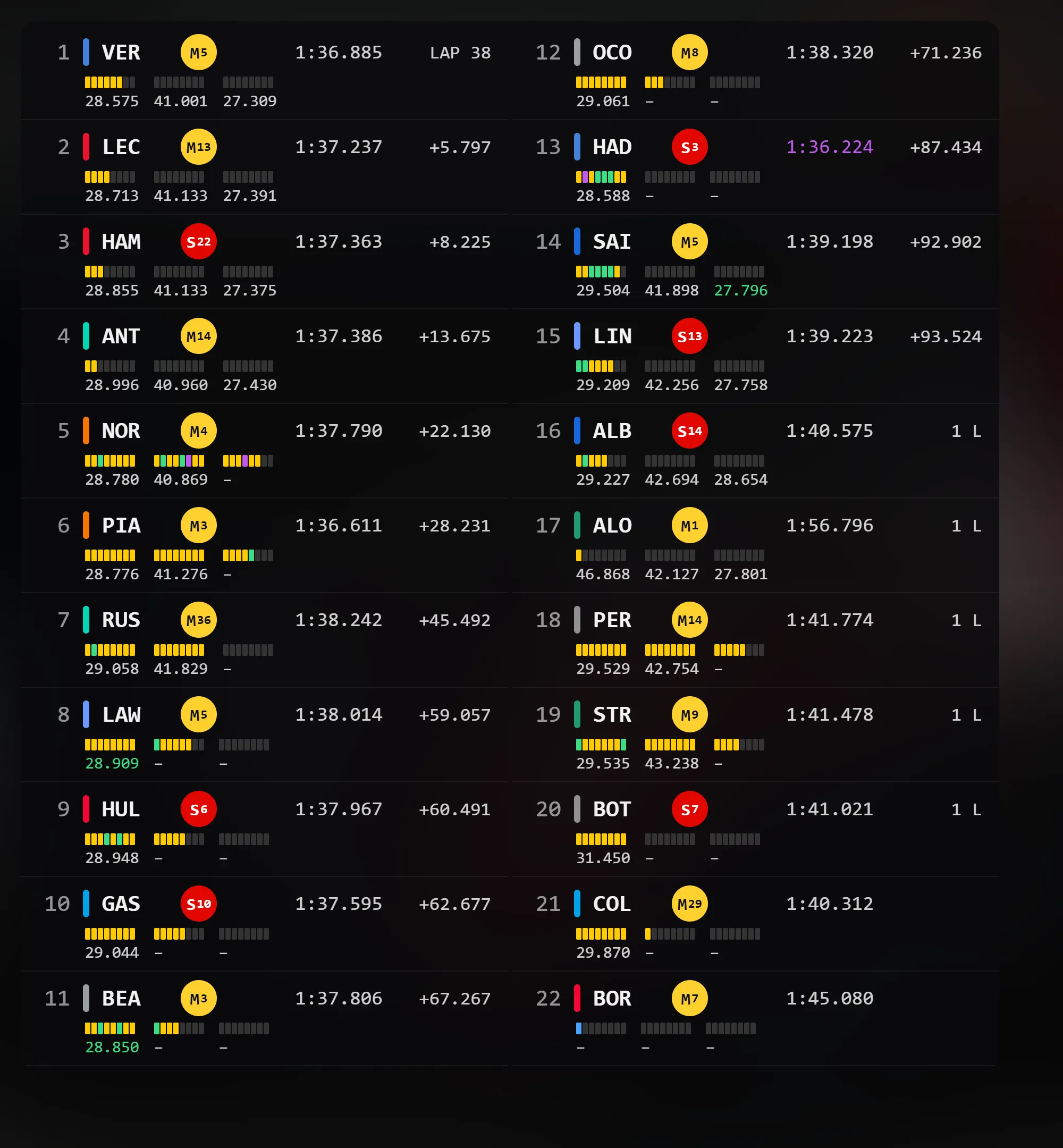
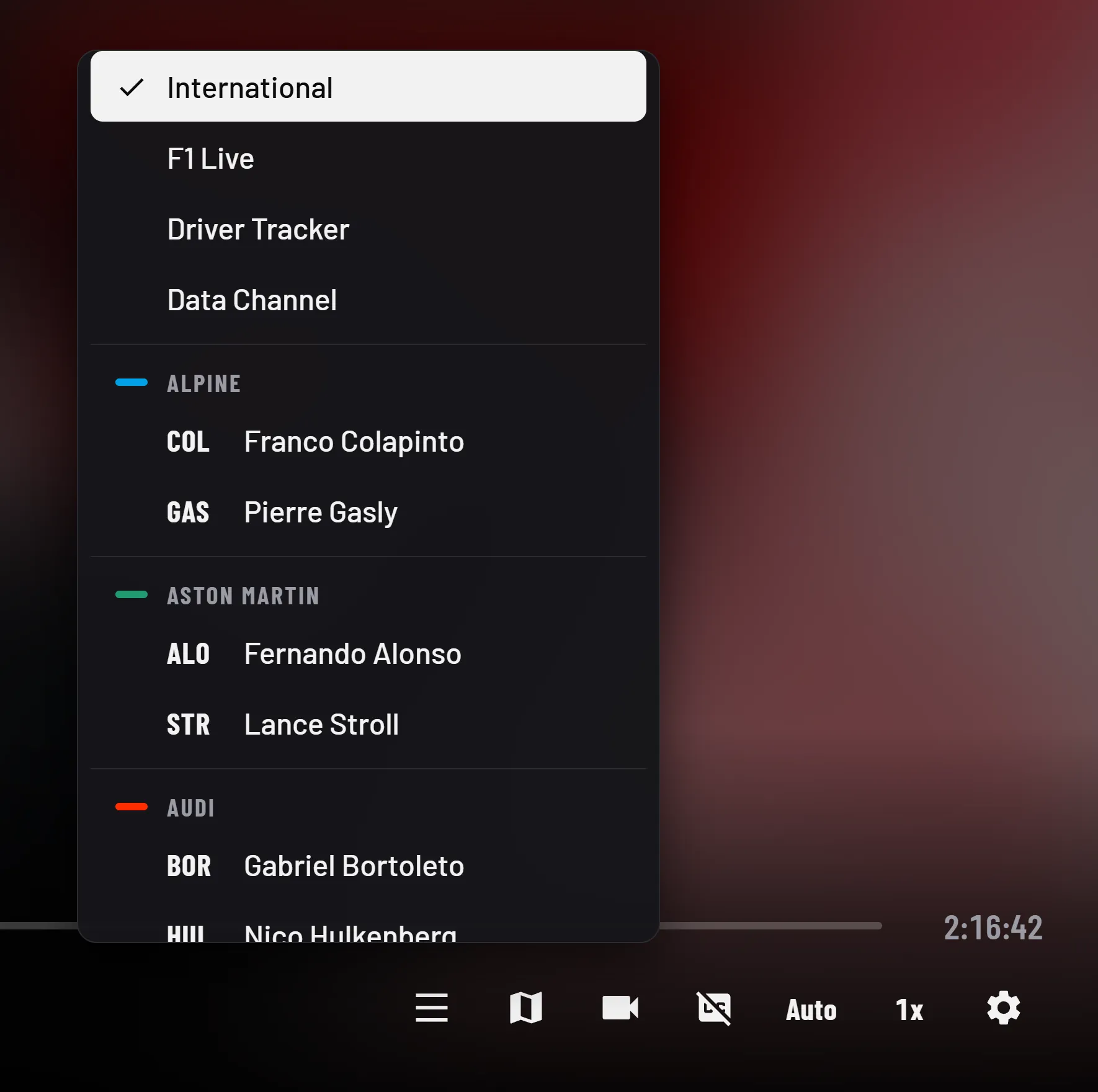
What I built. An unofficial app designed for the remote. The arrow keys move focus where you expect, you can switch cameras, and a timing panel stays in sync with the video, live or on replay.
What I measured. I replayed real race data through the live timing code, and tested how many video streams the TV can play at once, which ruled out a multi-screen view.
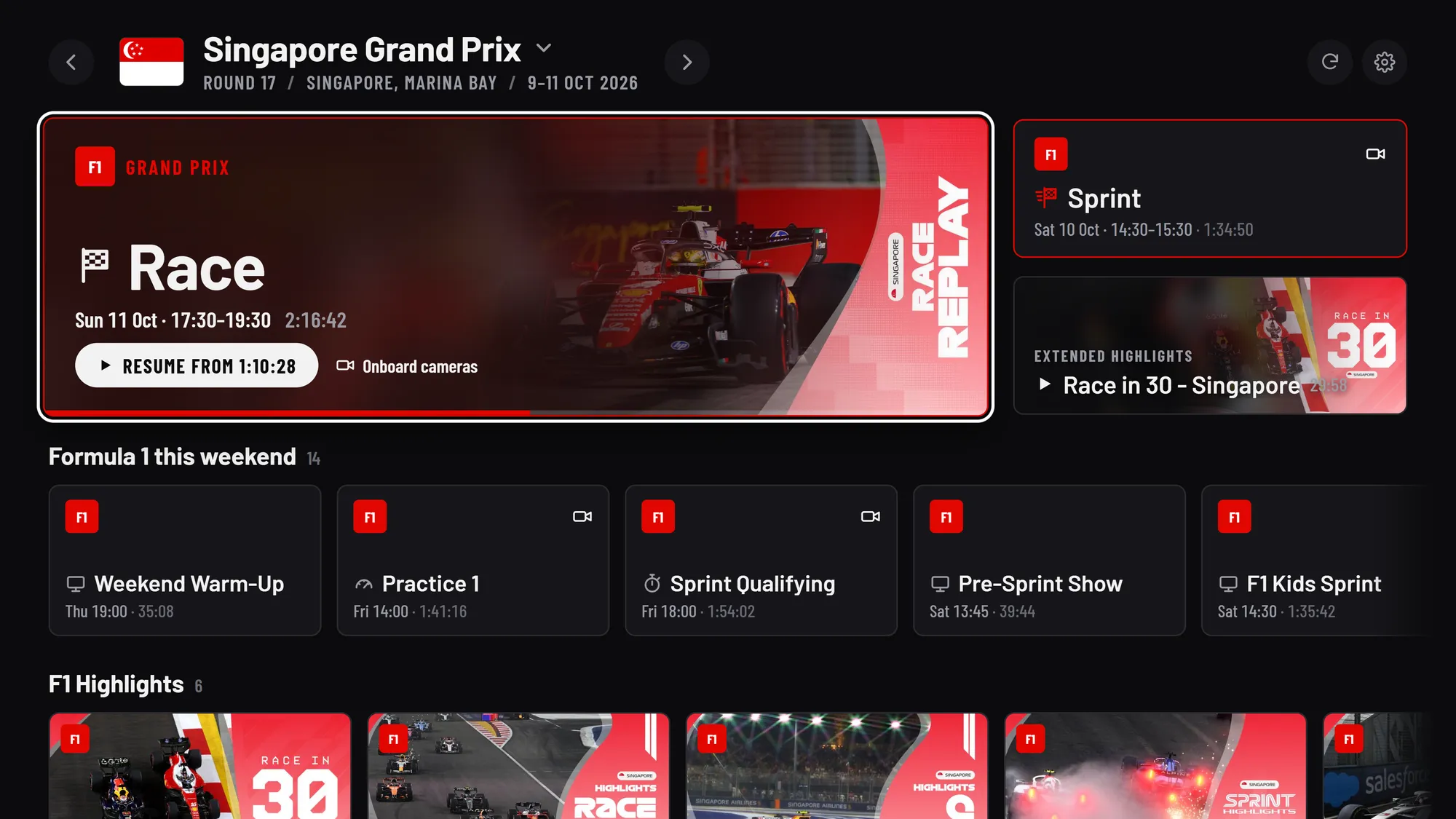
What it looks like
1 Context
I built this because I love F1. I follow every race weekend, and I wanted the onboard cameras and live timing on the big TV, from the sofa, with just the remote.
Lights Out is an unofficial client for F1 TV on LG webOS TVs, built for the remote. It needs your own F1 TV subscription and the Homebrew Channel (a community app installer) on the TV, so its audience is narrow. It is a personal project with one developer and one TV, and I have no audience numbers to report. The code is open source on GitHub, and I have submitted the app to the Homebrew Channel, where it is waiting for review.
I built it over 14 days in September 2026.
2 Constraints
- A ten-foot UI. I get a D-pad and no pointer, so focus is the only input.
- A TV that decodes one protected stream at a time.
- Two unrelated clocks. The archive has its stream clock and the video has its own playhead.
3 What I built
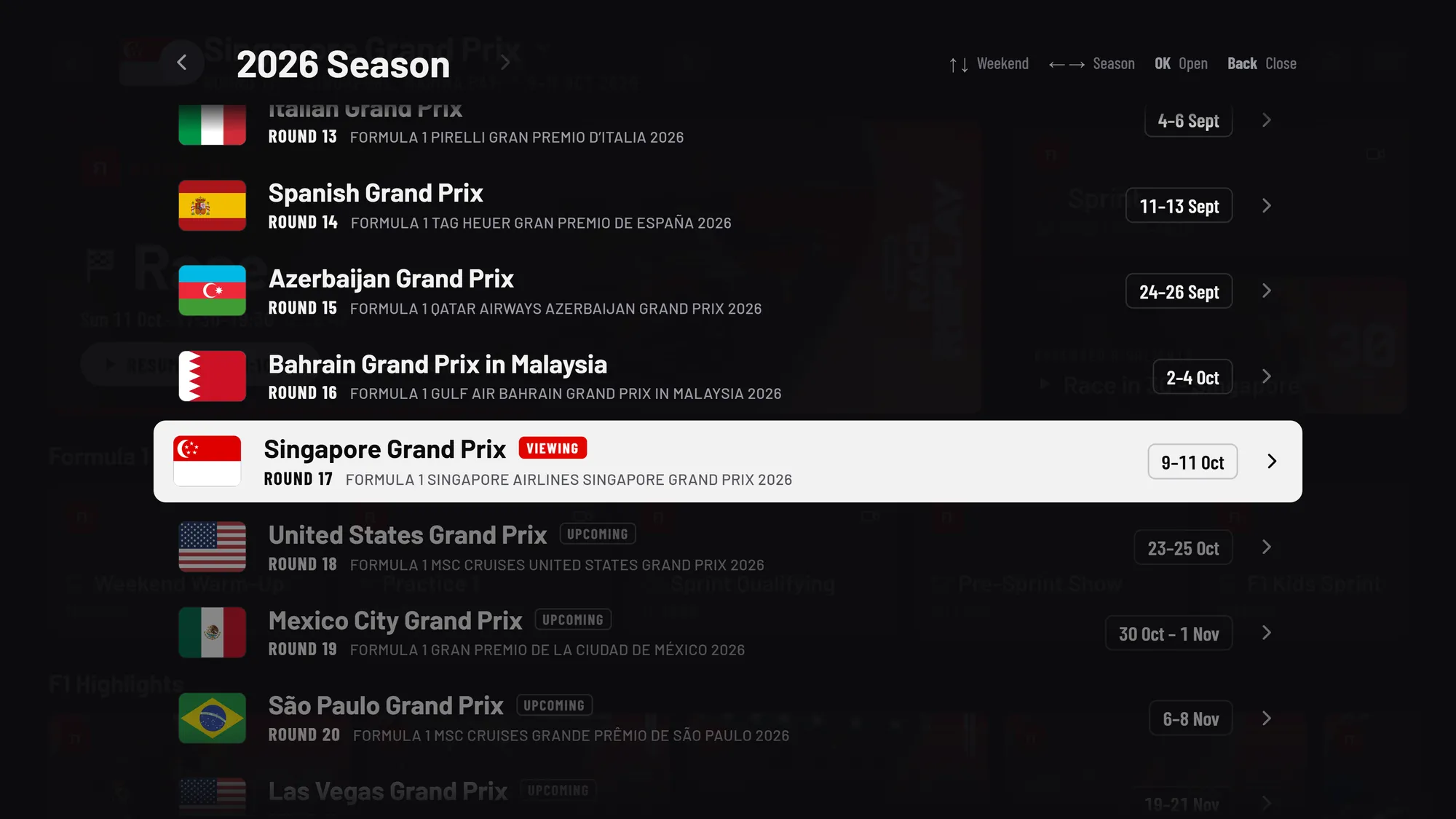
Focus moves by geometry. When I measured only the distance between tile centres, pressing Left from a tile went to a small tile below it instead of the tall tile beside it. So I now score the candidates by band priority and edge alignment, and focus bounces back at the end of a row.
The timing tower joins two clocks. The archive’s heartbeat pins its stream clock to UTC, and the video’s program date-time pins the playhead to UTC. The app then asks what was true at that instant, so no manual sync is needed, and replays go through the same reducer as live data.
Camera switching groups the feeds by team. When rail switching stuttered, I replaced CSS masks with gradient overlays, slid only the header and hero, and requested thumbnails at the size they are drawn. I recorded no before-and-after frame rates, so I make no smoothness claim.
4 Measurements
| Reading | What it shows |
|---|---|
| 26 feeds26 feedsfeeds available in one race session, including the world feed, every onboard camera and the data channel.Methodfeed count recorded in the service code when the first content request succeeded.SourceMy notes in the project code, Sep 2026ClassMeasured by me · Sept 2026 | Feeds you can switch between in one race session, all 22 cars’ onboards included. |
| ~20,000 records~20,000 recordsreal archive records from one practice session, replayed through the same reducer that handles live data.Methoda replay script pushes the recorded archive through the live reducer and checks what the tower shows.NoteIt caught two real bugs, including gap columns that were blank in every non-race session. It is a replay of one session, not a live one.SourceMy replay test, Sep 2026ClassMeasured by me · Sept 2026 | Real timing records from a session, replayed through the live timing code. |
| 5,216 lines5,216 linesfirst-party code in the TV app.Methodwc -l over first-party files at the last commit, excluding vendored libraries and mock data.SourceMy count of the project's files, 10 Oct 2026ClassMeasured by me · 10 Oct 2026, 2,319 lines2,319 linesfirst-party code in the on-TV service.Methodwc -l over first-party files at the last commit, excluding vendored libraries.SourceMy count of the project's files, 10 Oct 2026ClassMeasured by me · 10 Oct 2026 and 400 lines400 linesfirst-party code in the build, deploy and test scripts.Methodwc -l over the scripts folder at the last commit.SourceMy count of the project's files, 10 Oct 2026ClassMeasured by me · 10 Oct 2026 | My code: the TV app, the service that runs on the TV, and the build, deploy and test scripts. |
Seasons are browsable from 2018. In the decoder test, both two windows and four windows corrupted, and four also raised a decode error. A single stream is clean.
I did not measure frame rates, the offset between tower and picture, or cold start, so I record no figure for any of them.
5 What broke
- Replays were kinder than live races. The player worked on every replay I had, and the first live session behaved differently. I found the difference by testing on the TV.
- A pre-drawn circuit, dropped anyway. It sat within ~2%how far a pre-drawn circuit outline sat from real telemetry, before I dropped it.Method as recorded in the overlay code's header comment when I removed the idea.Note Close enough to look right, and still the wrong design, because the live layer fits itself to what has arrived so far.My notes in the project code, Sep 2026 · Measured by me~2%how far a pre-drawn circuit outline sat from real telemetry, before I dropped it.Methodas recorded in the overlay code's header comment when I removed the idea.NoteClose enough to look right, and still the wrong design, because the live layer fits itself to what has arrived so far.SourceMy notes in the project code, Sep 2026ClassMeasured by me · Sept 2026 of real telemetry and I still removed it. The live layer fits itself to what has arrived so far, so the two layers cannot agree early in a session. The map now just builds up as data arrives.
- Multiview, cut by measurement. I wanted several windows at once, but the TV limits how many protected streams it decodes together, so I removed multiview. The code is still in version history if I want it back.
- A wrong theory. A phantom “load failed” message appeared while video played, and I blamed an autoplay race. Dumping the real error showed a renamed library call, so I fixed it and wrapped each cosmetic step so that one error cannot stop the steps after it.
Three things were still open at my last handover note, on 26 Sep 2026. Pressing Back leaves the player after as many presses as the tower was opened, the tower runs ahead of the picture, and the track map works live only.
6 What I’d change
- The reducer, the focus scorer and the clock join have no unit tests. The replay script is my only automated check, so I would add unit tests to those three first.
- Measure the tower offset with a filmed test before applying the one constant that would fix it.
- For a demo video, add a mode that runs on public data with neutral thumbnails.
7 Credits and disclosures
- Prior art and research I learned from: MultiViewer, f1viewer, FastF1, OpenF1 and an existing community client for webOS, mariovalney/f1tv.
- Open source this stands on: Shaka Player, the webOS TV libraries, Barlow (OFL) and a set of flag icons (MIT).
- Tools: I designed the TV interface, the timing logic and the release plan, and tested every build on the TV with real session data. AI coding agents help me write code faster.
- Media: no broadcast footage. The home-screen screenshot shows F1 TV’s own thumbnails, as the app displays them. The icon is a neutral mark with no Formula 1 logos or livery.
Details
- Role
- Product, design and build
- Dates
- Sep 2026–now
- Status
- Stack
- JavaScript, no framework, Node service on webOS, Shaka Player, webOS TV tooling
- Built with
- Designed and built by me, with AI coding agents for speed. I set the requirements, tested on the TV with real session data and decided what to cut.
- Links
- Source on GitHub (external)
- Homebrew Channel submission (external)
- webOS Homebrew Channel:
Talk to me about this
Questions about the method, or something I got wrong? Write to me.
 Or ask Baby Piaa, my AI assistant, about Lights Out