 amogh.cloud
Piaa
An AI voice assistant that runs on my own PC
A voice assistant I can talk to and interrupt, running a large AI model on one gaming graphics card. I measured every big decision, including three I got wrong.
In short
Problem. A personal assistant I can talk to, interrupt and reach from my phone, with its private tools kept on hardware I own.
What I built. A voice assistant I can talk to and interrupt mid-sentence, with dozens of tools. The AI model, with 27 billion parameterssize of the language model Piaa runs on my graphics card.Method the model's published parameter count.The model's published size · Specification27 billion parameterssize of the language model Piaa runs on my graphics card.Methodthe model's published parameter count.SourceThe model's published sizeClassSpecification · 14 Oct 2026, runs on one RTX 5080 graphics card in my PC. Speech recognition and the voice run on the same PC’s main processor. Hard research goes to cloud AI workers that can think but never touch my machine.
What I measured. How fast it writes an answer, how long it takes to start replying, and what each design choice costs, each tested side by side on that card. One wrong setting had quietly made three of my earlier conclusions wrong.
What it looks like
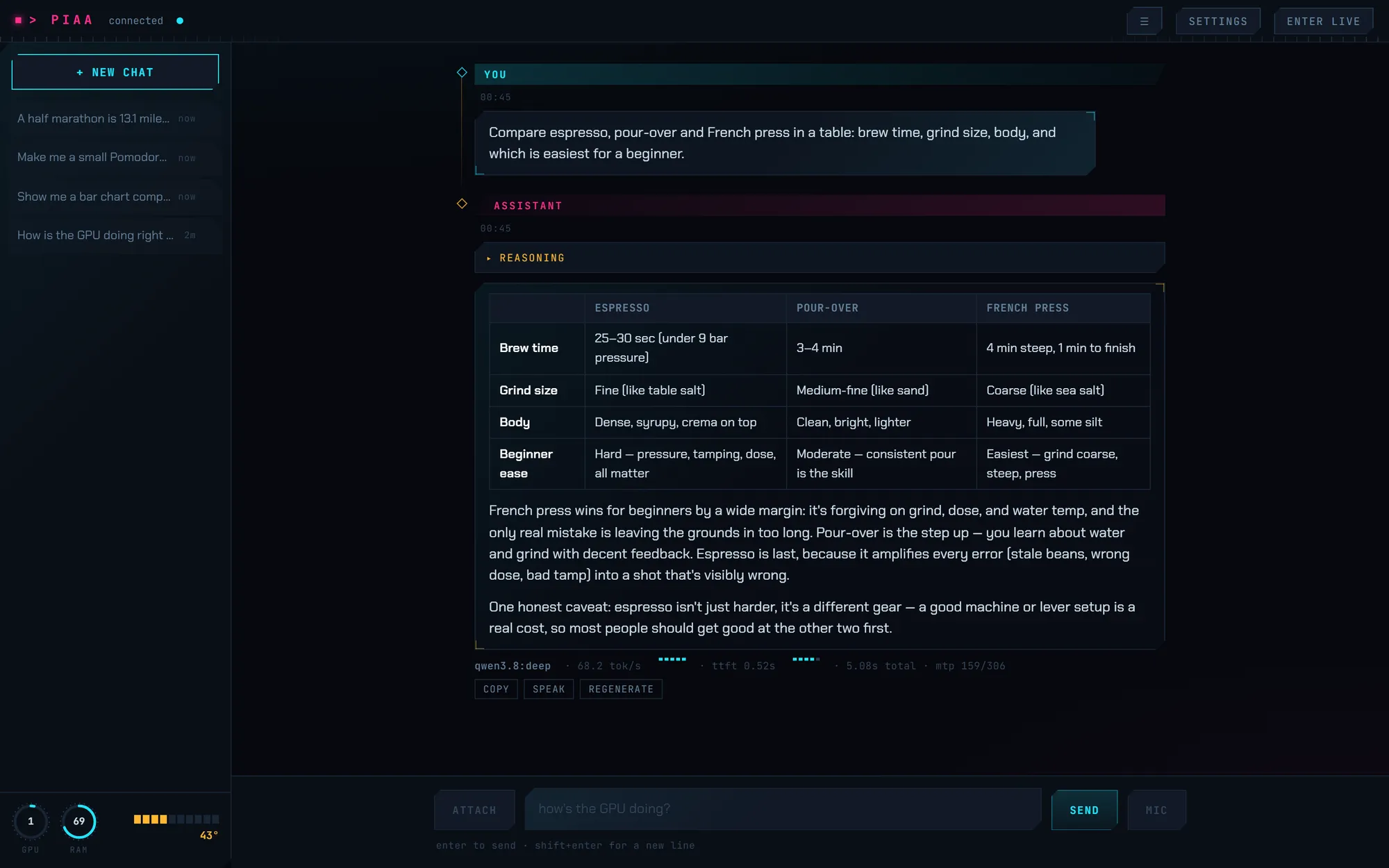
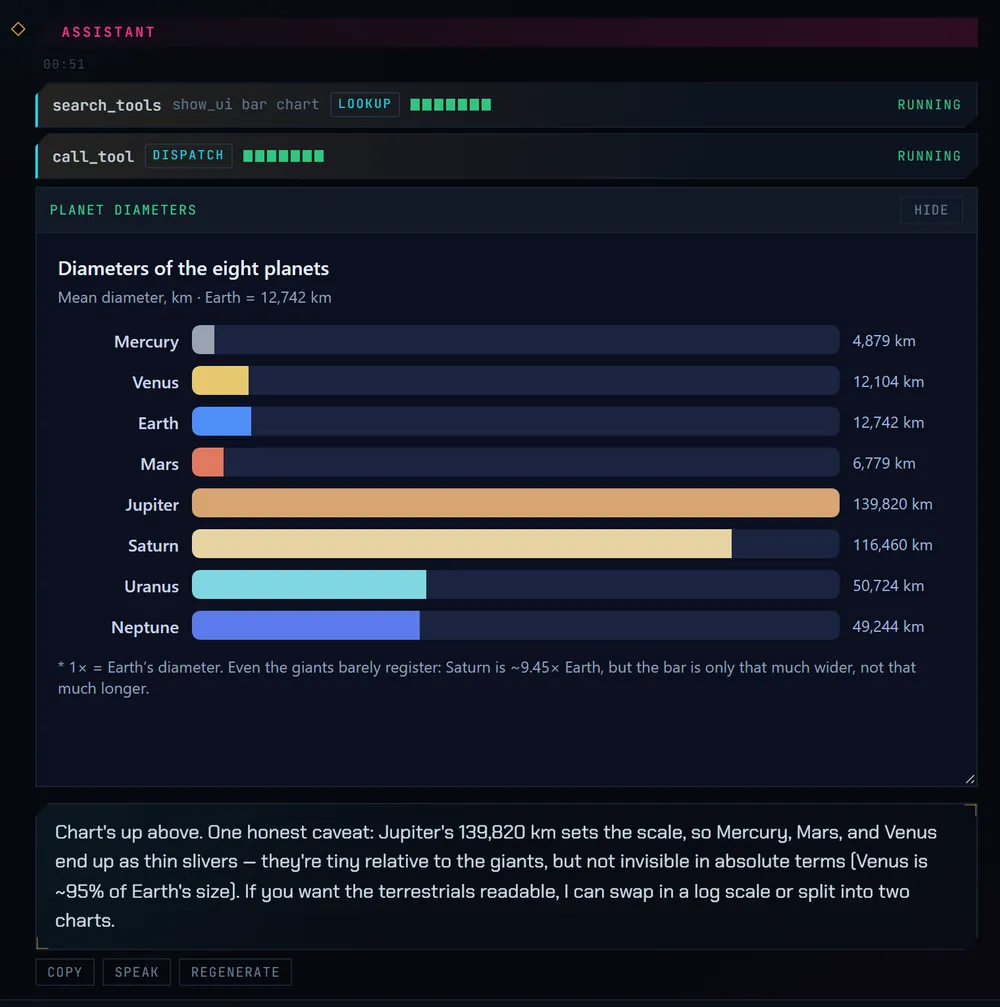
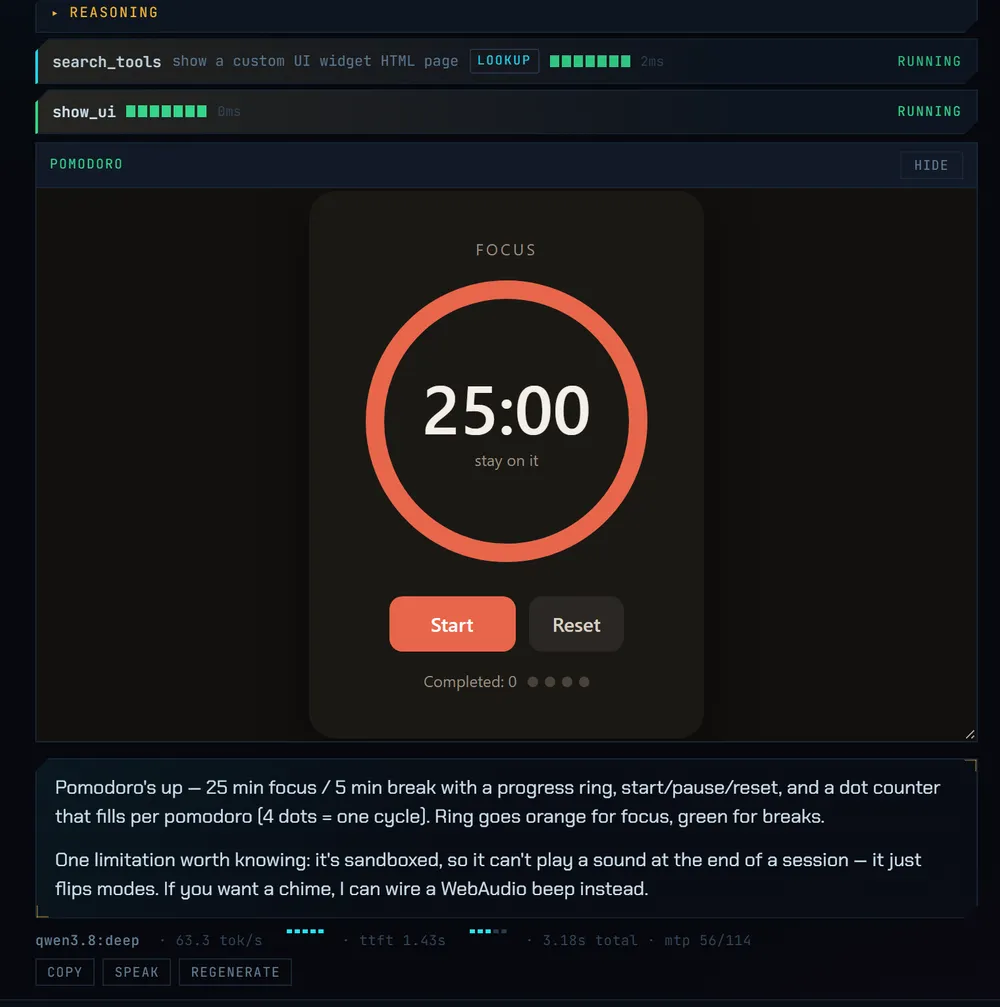
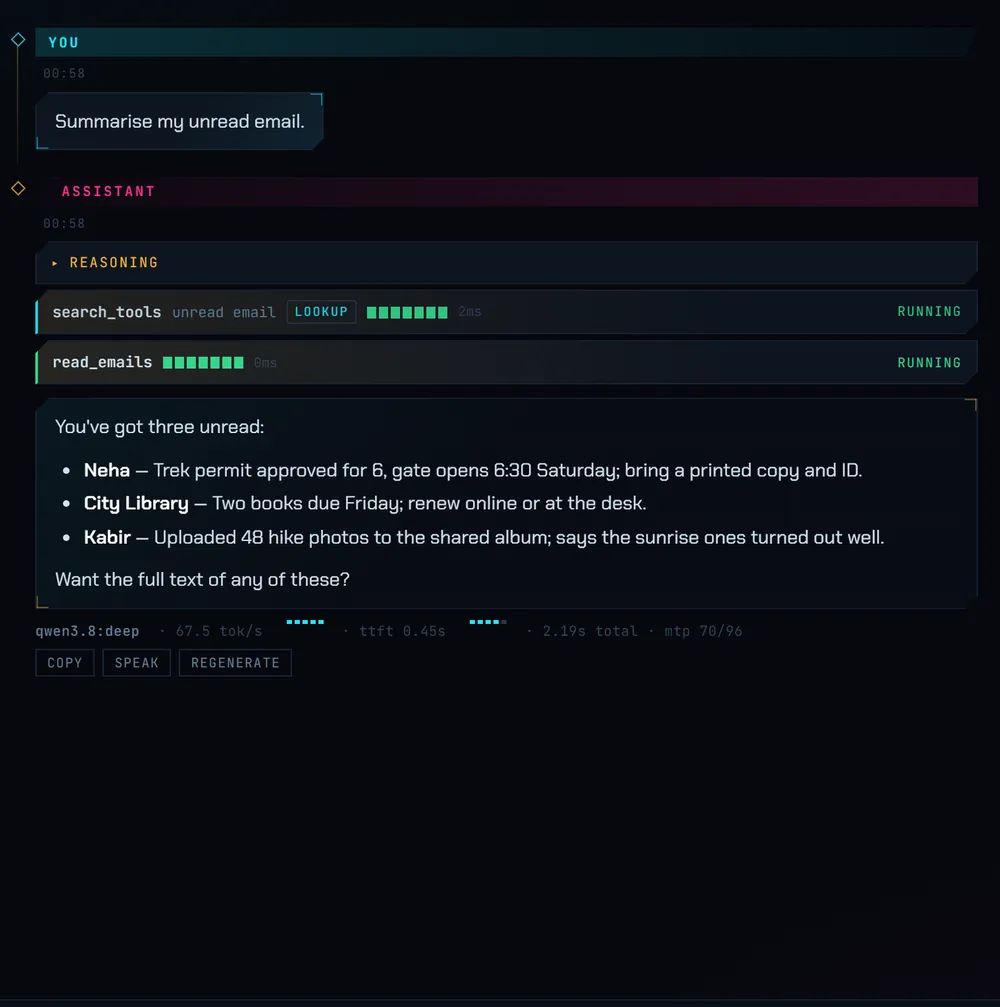
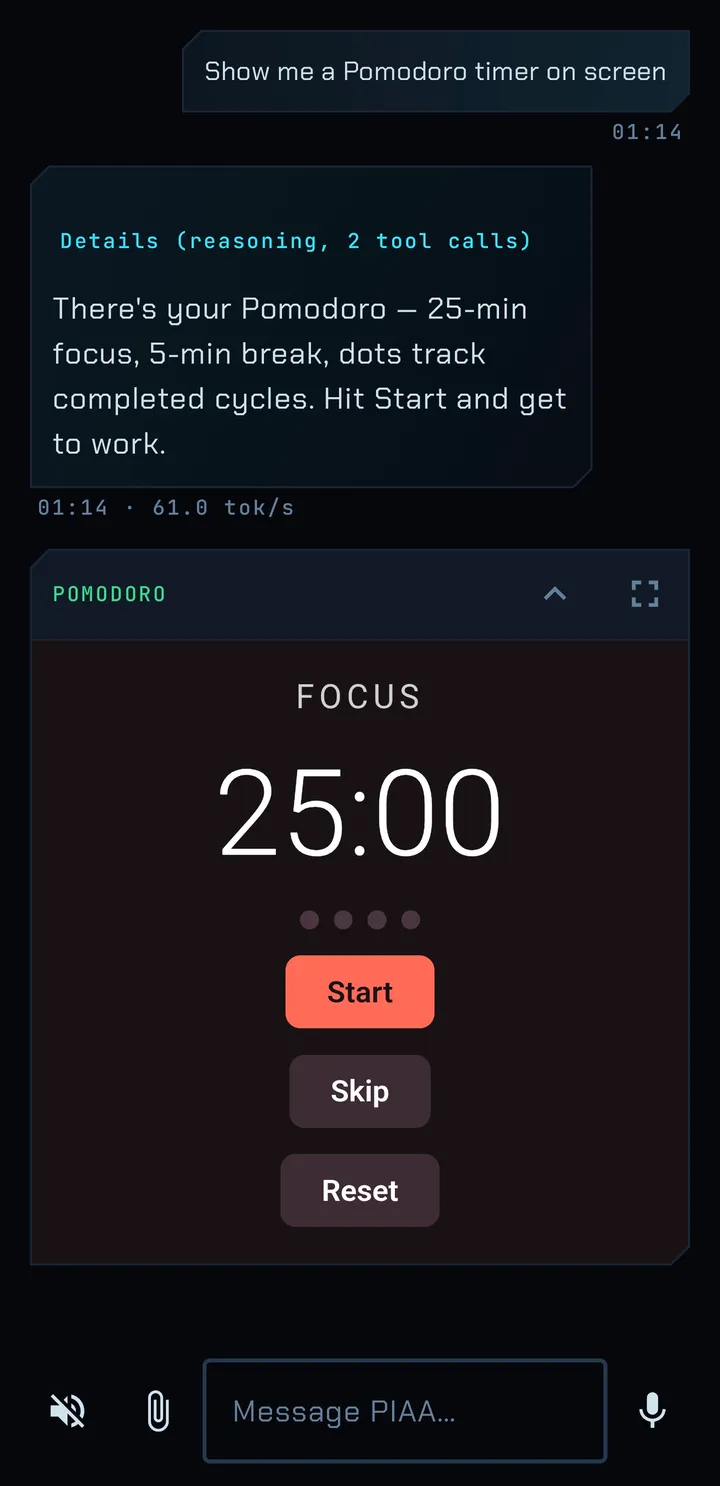
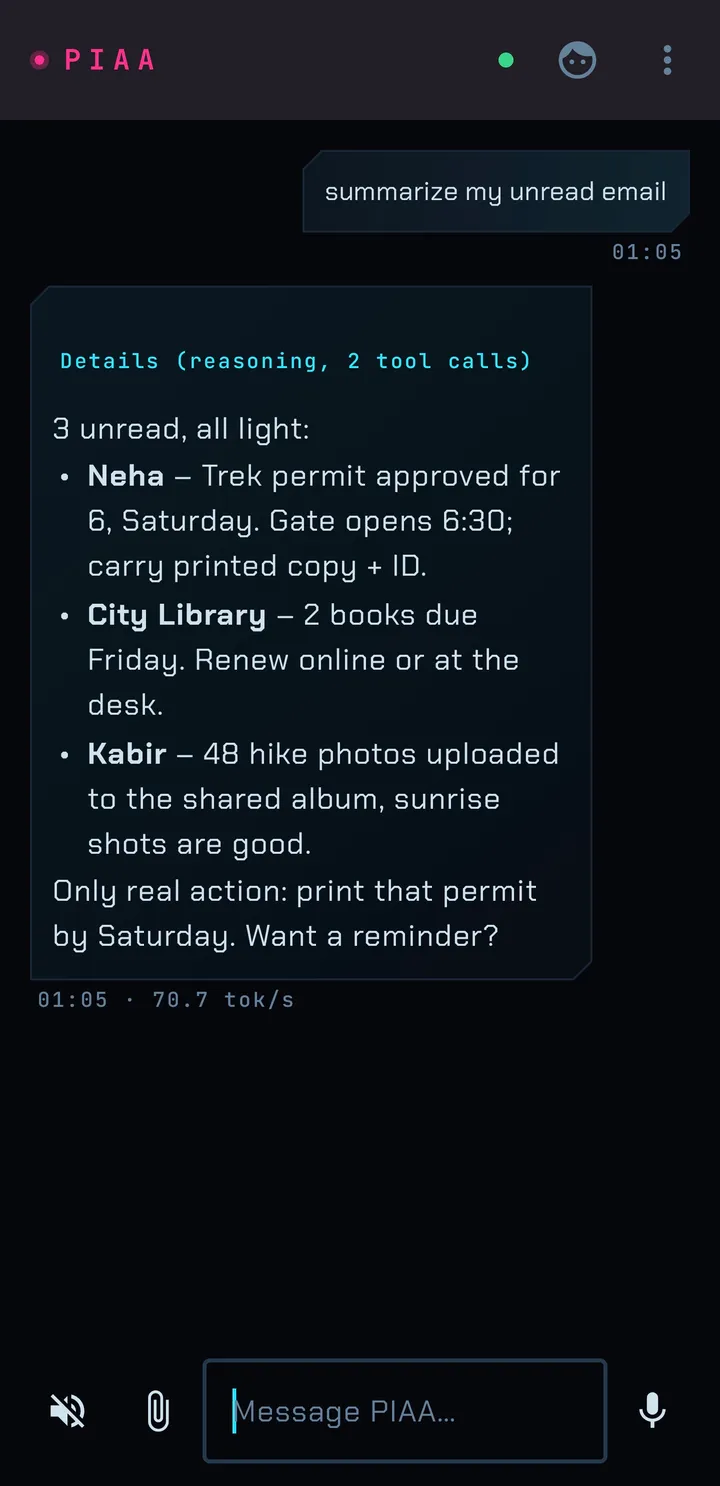
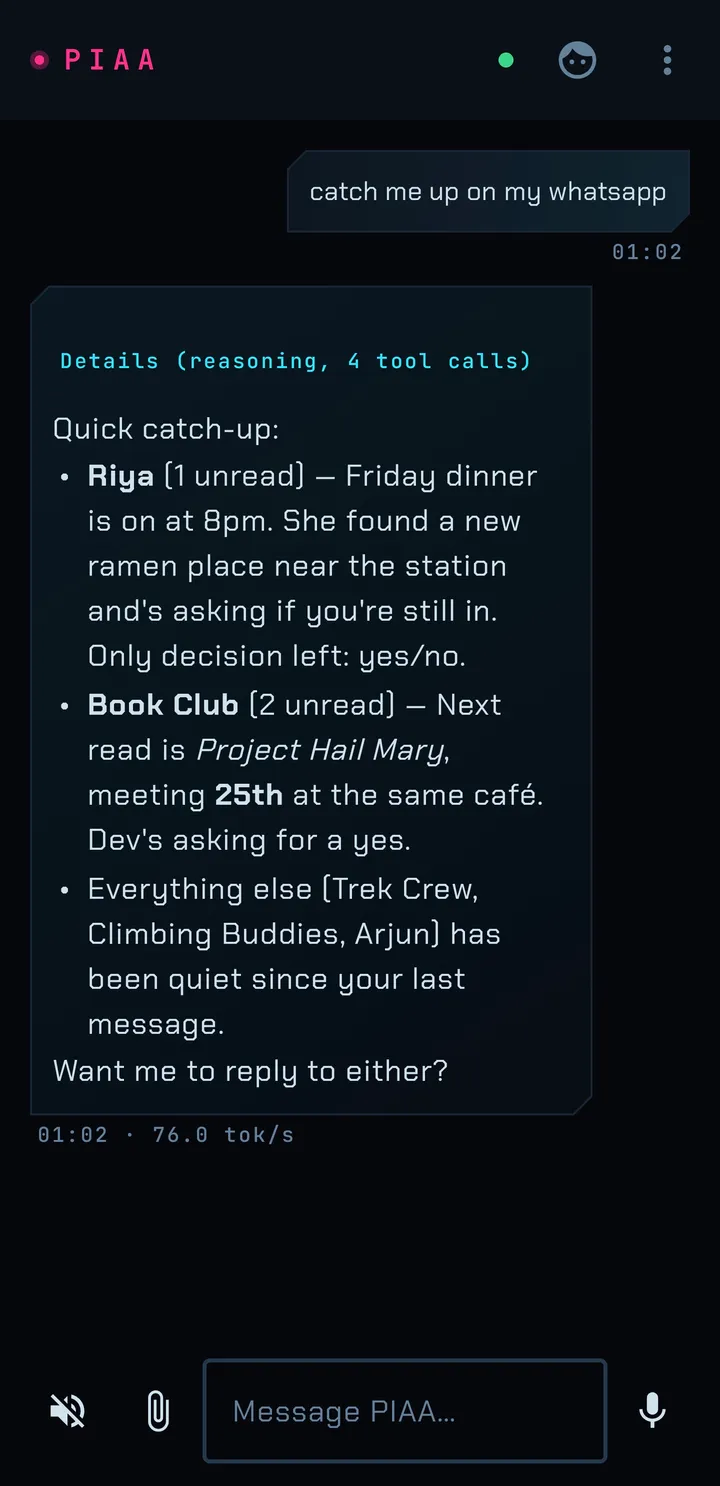
Real answers from Piaa on my PC. For these screenshots it ran on an empty profile with an invented inbox and invented WhatsApp chats, so none of my own chats, mail or files appear.
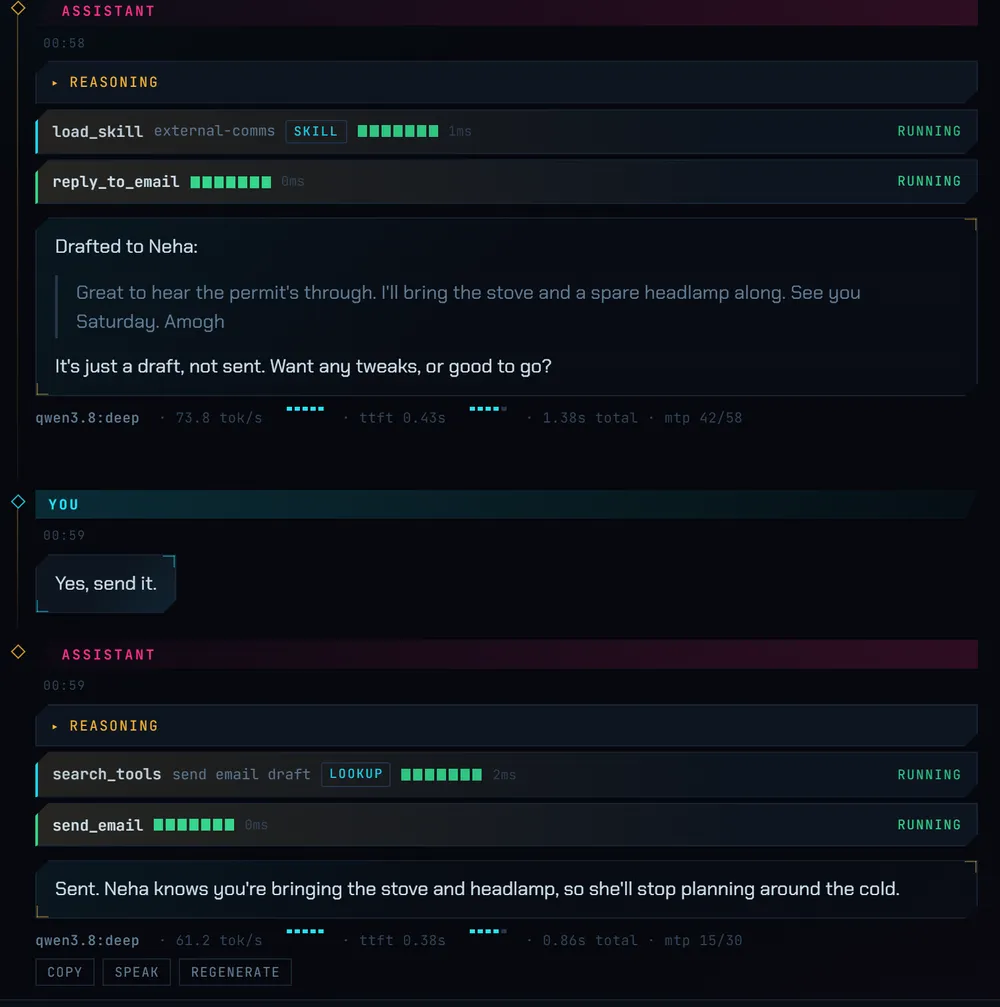
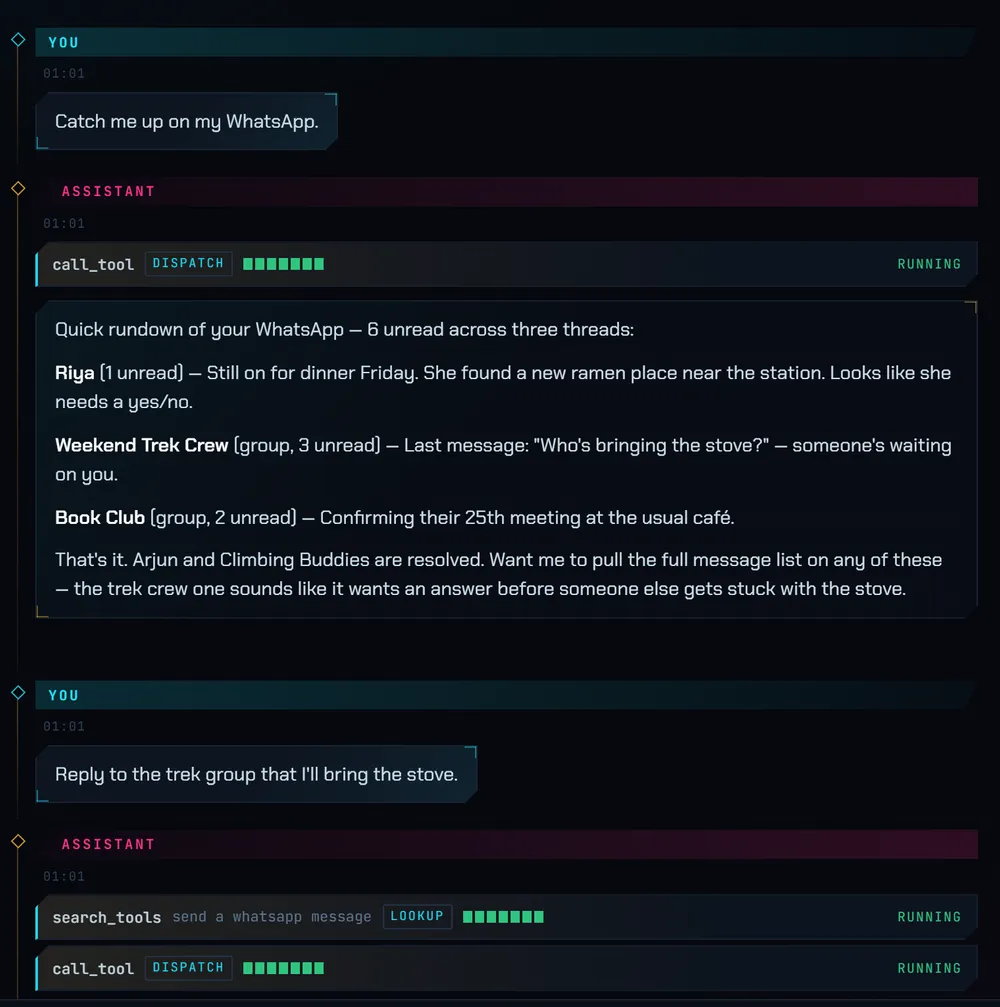
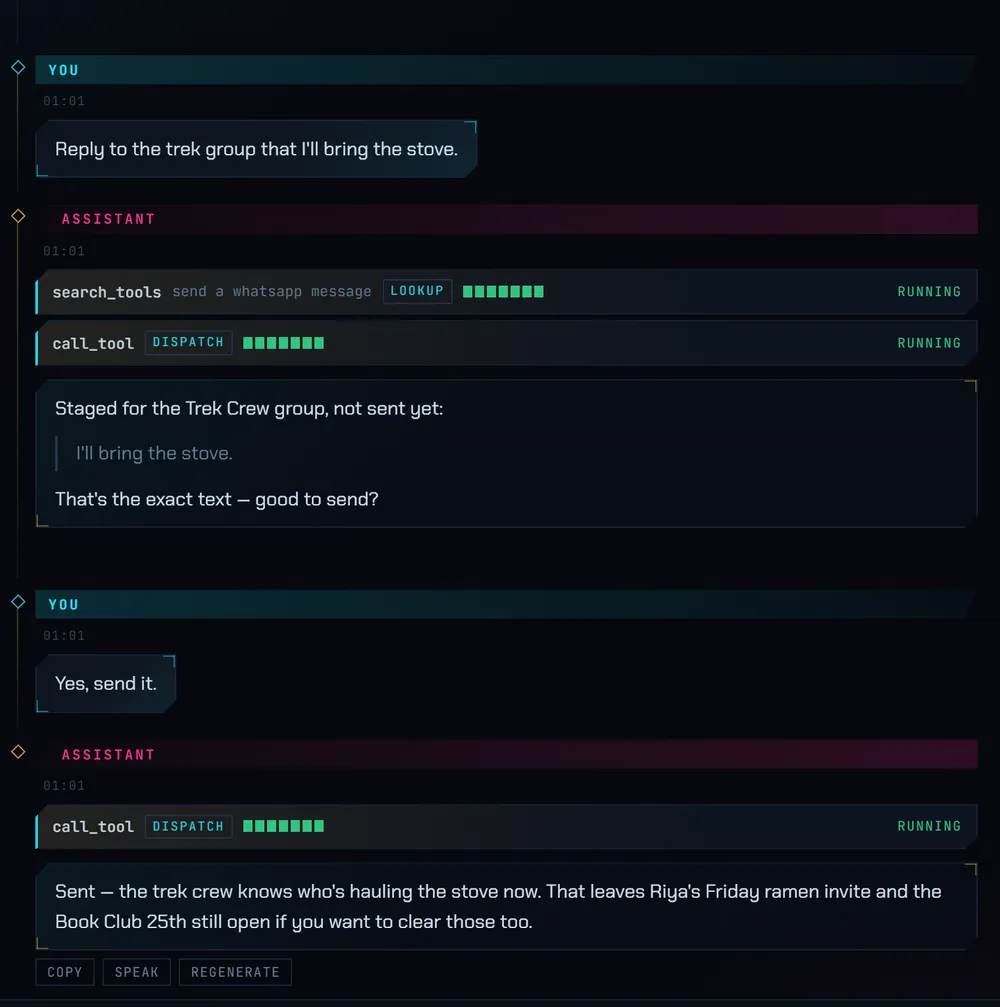

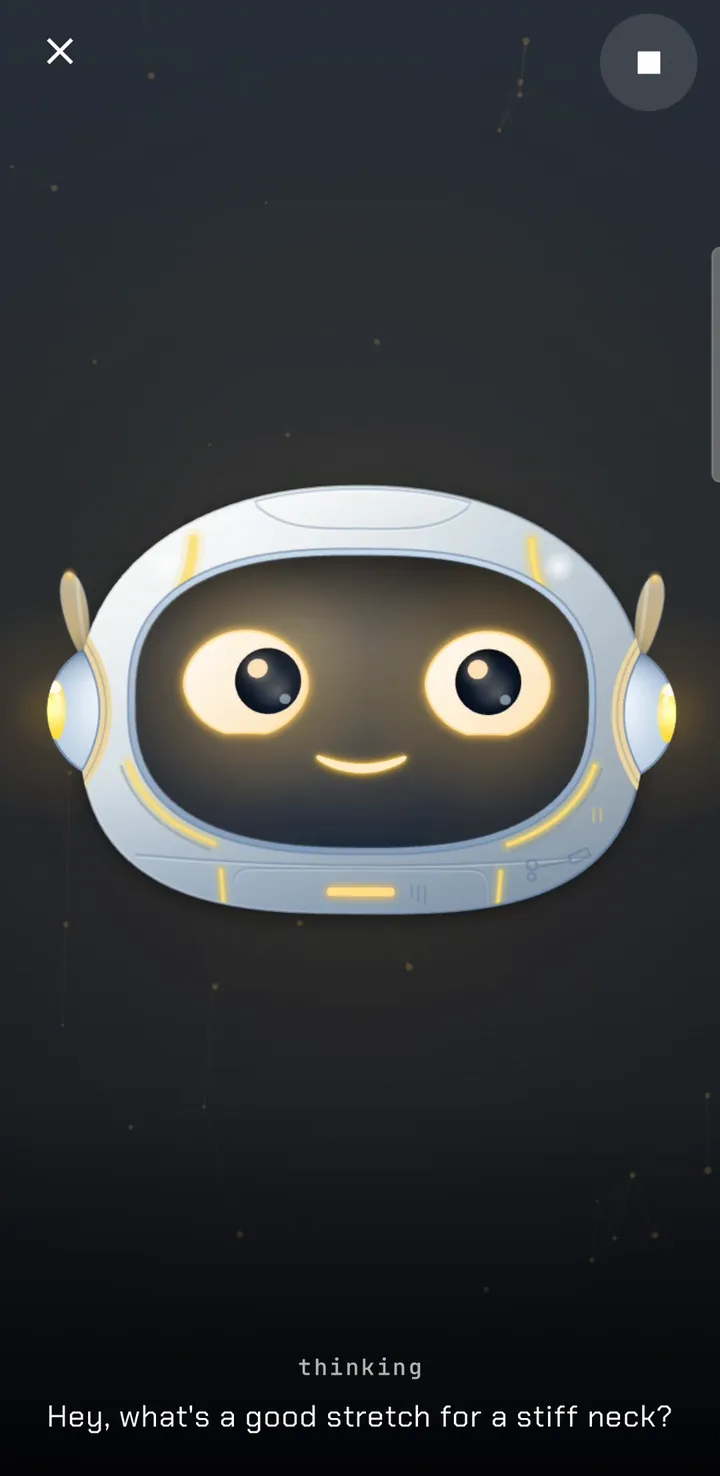
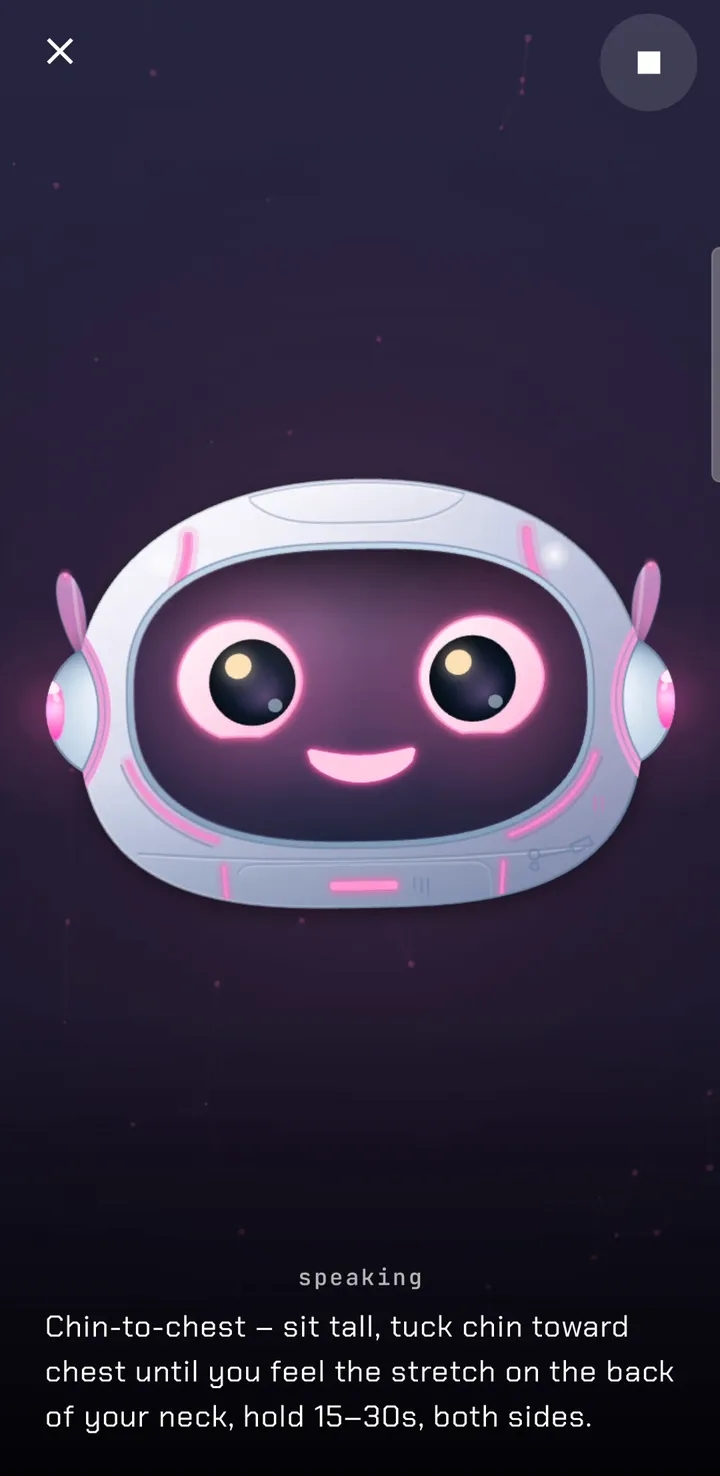
Transcript of the recording
Me: Hey, what’s a good stretch for a stiff neck?
Piaa: Chin-to-chest – sit tall, tuck chin toward chest until you feel the stretch on the back of your neck, hold fifteen to thirty seconds, both sides. Then ear-to-shoulder – tilt right ear toward right shoulder (no hunching), gentle pull with your hand if needed, hold fifteen to thirty seconds, switch. Do it a couple of times, slow, no snatching — you’re after a comfortable pull, not a stretch that makes you wince. If it’s been niggling for days or comes with tingling down the arm, that’s a “see someone” situation, not a stretch situation.
Me: Thank you.
Piaa: Anytime. Now the hard part — actually doing it instead of just saving it to your mental to-do list.
1 Context
Piaa stands for Personal Intelligent Assistant of Amogh. It is the assistant I wanted, my own Jarvis. You talk, it talks back, you can interrupt it, and it does real work across mail, WhatsApp, calendar and files. It remembers what I tell it, sets reminders and speaks up when background research finishes. I can also restart it from my phone. Everything personal stays on my own PC.
I built it over about three weeks in August and September 2026, and I still run experiments on it. I am its only user, so this is a deep engineering project, with no audience to speak of.
2 Constraints
I have one RTX 5080 with 16,303 MiBtotal VRAM on the card, the budget everything has to fit in.Method total VRAM recorded for the test machine's RTX 5080 in my benchmark log.My benchmark log, Aug 2026 · Specification16,303 MiBtotal VRAM on the card, the budget everything has to fit in.Methodtotal VRAM recorded for the test machine's RTX 5080 in my benchmark log. Windows 11 under the WDDM display driver model.SourceMy benchmark log, Aug 2026ClassSpecification · Aug 2026 of VRAM. It runs on Windows, where the display driver model decides how GPU contexts share that memory. And the voice loop has to stop talking the moment I interrupt it.
Most of the design follows from those three. The speech models sit on the CPU, the tools array never changes, and I tested every setting on the card instead of assuming it.
3 What I built
I split the work between a brain and hands. The local model holds the private tools. Cloud workers do hard research, but they get no mail, calendar or messaging tools. A worker emits tool calls, my machine executes them under a stricter guard, and the worker is capped at 0.50 USDspending cap for one cloud-worker run.Method limit set in the assistant's own configuration.Note A limit I set, not a measurement. Enforced by my code, not by the prompt.Limit set in my own configuration, checked Oct 2026 · Specification0.50 USDspending cap for one cloud-worker run.Methodlimit set in the assistant's own configuration.NoteA limit I set, not a measurement. Enforced by my code, not by the prompt.SourceLimit set in my own configuration, checked Oct 2026ClassSpecification · Oct 2026 per run, 2.00 USDspending cap for all cloud workers in one day.Method limit set in the assistant's own configuration, persisted across restarts.Note A limit I set, not a measurement.Limit set in my own configuration, checked Oct 2026 · Specification2.00 USDspending cap for all cloud workers in one day.Methodlimit set in the assistant's own configuration, persisted across restarts.NoteA limit I set, not a measurement.SourceLimit set in my own configuration, checked Oct 2026ClassSpecification · Oct 2026 per day, eight hops, 24 calls and 480 swall-clock cap for one cloud-worker run.Method limit set in the assistant's own configuration.Note A limit I set, not a measurement.Limit set in my own configuration, checked Oct 2026 · Specification480 swall-clock cap for one cloud-worker run.Methodlimit set in the assistant's own configuration.NoteA limit I set, not a measurement.SourceLimit set in my own configuration, checked Oct 2026ClassSpecification · Oct 2026.
Sending is always a separate step from writing. Email goes out only as an existing draft, and since no tool can list drafts, in practice it can only send what it wrote itself. Reading the draft back to me first is an instruction to the model, not something the code enforces. WhatsApp is stricter. The send step only accepts a draft made in the same running session, once, within five minutes. Shell commands wait for me to tap confirm.
There’s also a native Android app, written in Kotlin with Compose, with the same chat, widgets and live mode.
The turn loop is plain threads and deliberately not asyncio. It handles voice activity detection, speech recognition, the streaming model, sentence-by-sentence speech, and barge-in with echo cancellation. Speech recognition and the voice run on the CPU. That placement is structural, as section 5 shows.
4 Measurements
Every reading is a same-session A/B on the same card: one setting changed, one number read. Numbers stored from different sessions drift by several points, so I never compare across sessions.
| Reading | What changed |
|---|---|
| 54.2 tok/s54.2 tok/sdecode speed on a 27B model after one offload-flag fix; was 38.7 tok/s; cost +189 MiB of VRAM.Methodsame-session A/B on one RTX 5080 16 GB, llama.cpp -ngl 64 vs -ngl 99, decode tokens per second. Qwen3.8-27B at a ~3-bit GGUF quant, fully on GPU.NoteThe model has 64 layers, so -ngl 64 looked like "all on GPU"; llama.cpp only offloads the output tensor when ngl exceeds the layer count.SourceMy measurements, same-session A/B, Aug 2026ClassMeasured by me · Aug 2026 | The offload flag -ngl, from 64 to 99. A gain of 40%40%decode-speed gain from the offload flag alone; from 38.7 to 54.2 tok/s.Method(54.19 - 38.70) / 38.70 from the two readings of the same-session A/B.SourceMy measurements, same-session A/B, Aug 2026ClassDerived · Aug 2026 for 189 MiB189 MiBextra VRAM the offload fix cost, because the output tensor moved onto the GPU.Methodsame-session A/B on one RTX 5080 16 GB, VRAM in use with llama.cpp -ngl 64 vs -ngl 99.SourceMy measurements, same-session A/B, Aug 2026ClassMeasured by me · Aug 2026 more VRAM. |
| 6,056 ms6,056 msprefill time for a request whose tools array the server had never seen; was 87 ms for a tools array it had already seen.Methodprompt-processing time for a request with a novel tools array vs a known one, same session.NoteMy first measurement of this was wrong in an instructive way, because the server retains more than one prompt state.SourceMy measurements, same-session A/B, Aug 2026ClassMeasured by me · Aug 2026 | A tools array the server had never seen, against one it had. That is 69×69×how much slower a request is when its tools array is new to the server.Method6,056.2 ms divided by 87.2 ms, the two readings of the same A/B.NoteThere is no partial credit. Chat templates render the tools at the very start of the prompt, so any change reprocesses everything after it.SourceMy measurements, same-session A/B, Aug 2026ClassDerived · Aug 2026 slower, so I keep the tools array frozen. |
| 214 ms214 msdead time before the first token on an 8k conversation once the system prompt stopped changing every turn; was 4,551 ms; prompt-cache reuse 0% → 99.6%.Methodprompt-processing time on turn 2 of a realistic 8k-token conversation, per-turn timestamp vs a frozen prefix.NoteThe cause was a seconds-precision clock in the system prompt, so no two turns shared a prefix.SourceMy measurements, same session, Aug–Sep 2026ClassMeasured by me · Sept 2026 | A system prompt that stopped carrying a seconds-precision clock. Prompt-cache reuse reached 99.6%99.6%share of the prompt reused from the cache once the system prompt stopped changing every turn; was 0%.Methodprompt-cache reuse on turn 2 of a realistic 8k-token conversation, per-turn timestamp vs a frozen prefix.NoteNothing caught this at the time because prompt time and cache hits were not logged. They are now.SourceMy measurements, same session, Aug–Sep 2026ClassMeasured by me · Sept 2026. |
| 2,412 tokens2,412 tokenssize of the tool schema the model must read once tools are found through search; was 7,032 tokens with every tool listed up front.Methodtoken count of the tool schema in the prompt, full list vs search-then-call discovery.NoteAccuracy on my 20-case tool test was a wash. The price was more hops per task.SourceMy measurements, Aug 2026ClassMeasured by me · Aug 2026 | Tools found through search instead of listed up front. Accuracy was about the same, but the model took 84%84%extra agent hops once tools are found through search instead of listed up front.Methodhops per task on the same tool test, search-then-call discovery vs the full tool list.NoteThe cost side of the smaller schema. Accuracy did not change.SourceMy measurements, Aug 2026ClassMeasured by me · Aug 2026 more hops. |
| 0.4 tok/s0.4 tok/sdecode speed after an idle speech model created a second CUDA context on the GPU; was about 75 tok/s (74 to 78 across runs).Methoddecode tokens per second with the speech model loaded on the GPU (idle, -ngl 0) vs without it, located with nvidia-smi --query-compute-apps. Windows 11 under the WDDM display driver model.NoteMy first hypothesis, CPU polling, was applied correctly and changed nothing. The problem came back on 26 Aug 2026 through a second server process.SourceMy measurements, same-session A/B, Aug 2026ClassMeasured by me · Aug 2026 | An idle speech model on the GPU created a second CUDA context, which is why my speech models live on the CPU. |
Before: the instructions carried a clock, so nothing could be reused
After: the instructions stayed the same
5 What broke
Three of my recorded conclusions were wrong, and all three had the same cause.
| What I had recorded | Status |
|---|---|
| Withdrawn. Measured with the output tensor on the CPU. | |
| Withdrawn. Measured with the output tensor on the CPU. | |
| Withdrawn. Measured with the output tensor on the CPU. |
The model has exactly 64 layers, so -ngl 64 reads as “everything on the GPU”. But llama.cpp only offloads the output tensor when the number is greater than the layer count, so mine had been left on the CPU. Since three results failed together, I should have looked for one upstream cause sooner.
Other things I got wrong:
- An idle server collapsed decode. I blamed CPU polling, applied the fix correctly, and nothing changed.
nvidia-smi --query-compute-appsthen showed the real cause, which was a second CUDA context. - A clock in the system prompt. No two turns shared a prefix, and nothing caught it because I never logged prompt time. I now log cache hits and prompt tokens.
- My first tools-array measurement. It was wrong too, because the server keeps more than one prompt state.
- A comparison without a control. I tested an old configuration on a new build and drew the wrong conclusion, so the second round added the control.
6 What I’d change
- Build a labelled evaluation set for tool routing before trying another router. My last routing bake-off ended with that lesson.
- Measure first-audio latency again. I last measured it in late August, and a later change probably improved it, so I publish no figure.
- Publish the harnesses. They are self-contained scripts, and I plan to release them as piaa-lab once they are scrubbed of local paths.
7 Credits and disclosures
- Open source this stands on: llama.cpp and the beellama.cpp fork, llama-swap, Qwen, Kokoro, Silero, openWakeWord, WebRTC AEC3, nomic-embed and SearXNG.
- Tools: I designed Piaa, built it and ran every measurement on this page. AI coding agents help me write code faster, and the benchmark log and the retraction table are how I check the result.
- Disclosures: a personal system with a private repository. Nobody else uses it, and no claim here is about anyone but me.
Details
- Role
- Designer and builder
- Dates
- Aug 2026–now
- Status
- Stack
- Python, llama.cpp, FastAPI and WebSocket, Kotlin and Compose, SQLite and FTS5, Local speech models
- Built with
- Designed, built and measured by me, with AI coding agents for speed.
- Links
- piaa-lab: benchmark harnesses and the full log:
Talk to me about this
Questions about the method, or something I got wrong? Write to me.
 Or ask Baby Piaa, my AI assistant, about Piaa